All your coding agents.
One calm window.
Claude Code, Codex and more on your own plans. Sessions resume where they stopped, and your usage stays in view.
- 7Coding agents built in
- $0Lite, free forever
- v0.1.9Current Windows release
- Win 11x64 · no account to download
Auton in 46 seconds
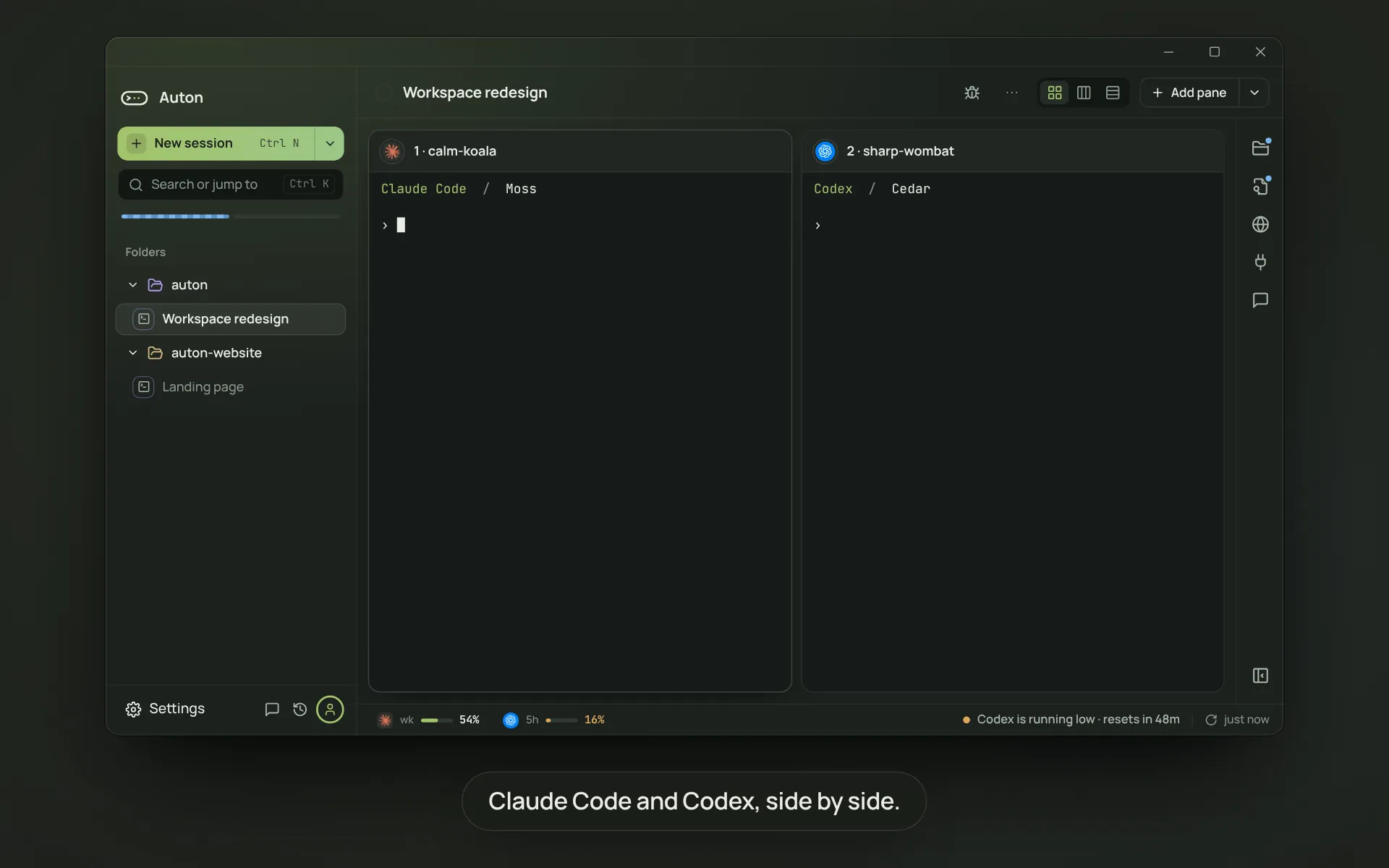
Works with the agents you already use.
See agent details → Claude Code
 Codex CLI
 Cursor CLI
 OpenCode
 Grok Build
 pi
pi Antigravity CLI
01Never lose your work
Close it. Come back tomorrow. It’s all still there.
Auton resumes every session as you left it: same agent, same conversation, same panes.

02Every agent, every account, one place
Stop juggling terminals, logins and limits.
Usage for every account stays on screen, and a tool you add once works in every agent.
03Agents that work as a teamPro
Give it the task. Let the agents split the work.
A lead agent plans and hands out the steps. Or let several agents try and pick the best one blind.


Built in
Everything you check, right next to the agent.
-
Review
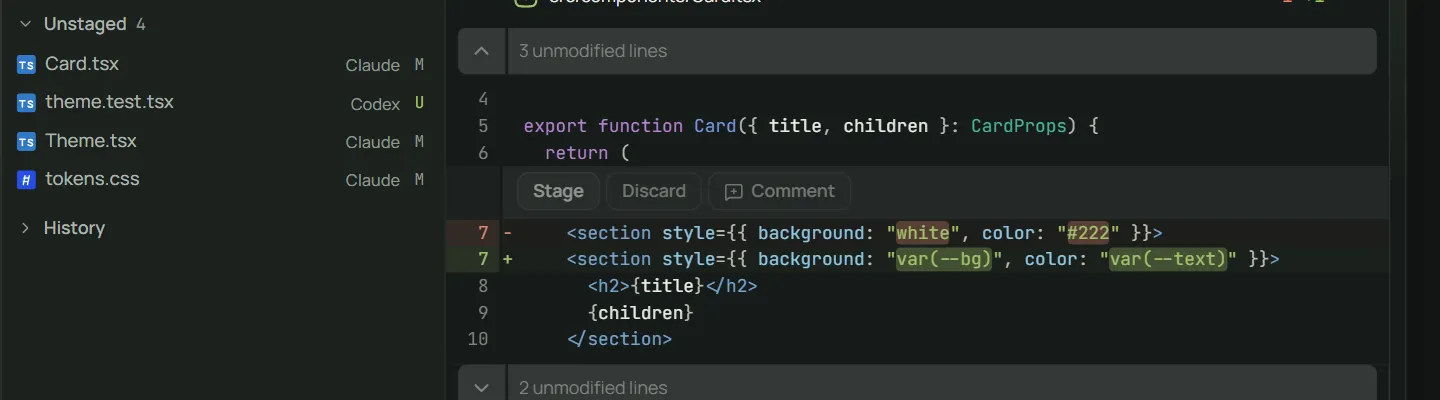
The agent writes. You review.
See exactly what changed, file by file. Apply it, keep it on a branch, or discard it.
-
Usage
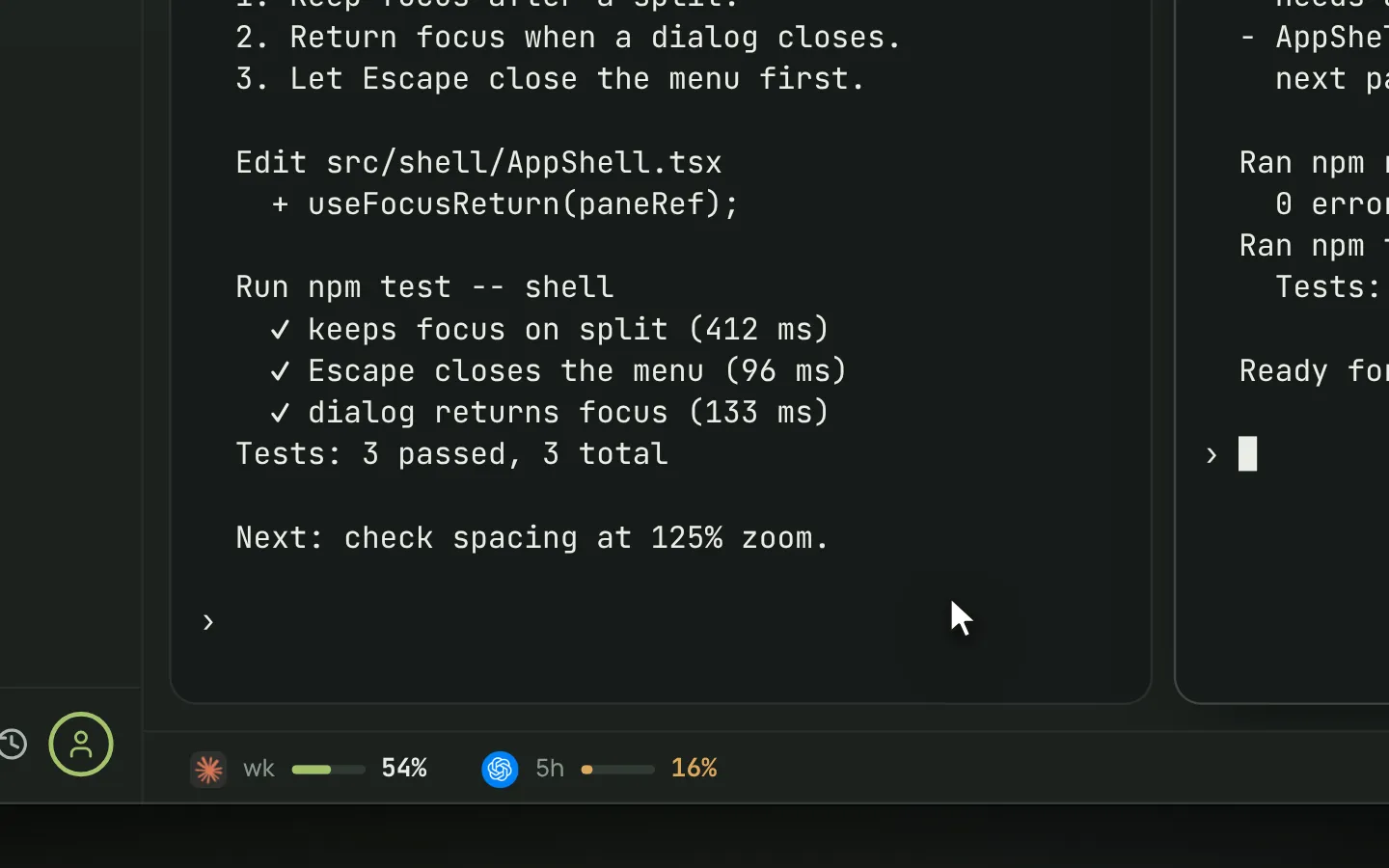
Your usage, always in view.
A warning before you run out, and tokens used per day over time.
-
Browser
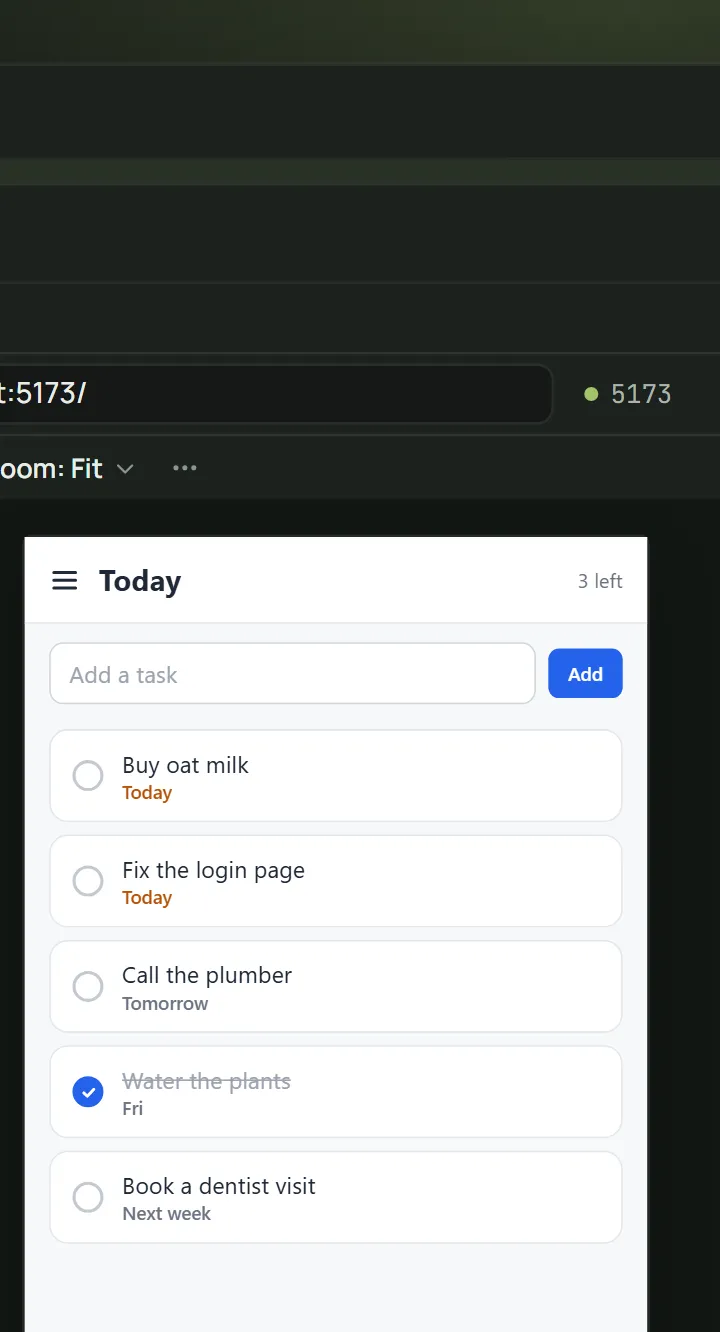
Agents can see your app.
Point at something on the page and send it to the agent.
-
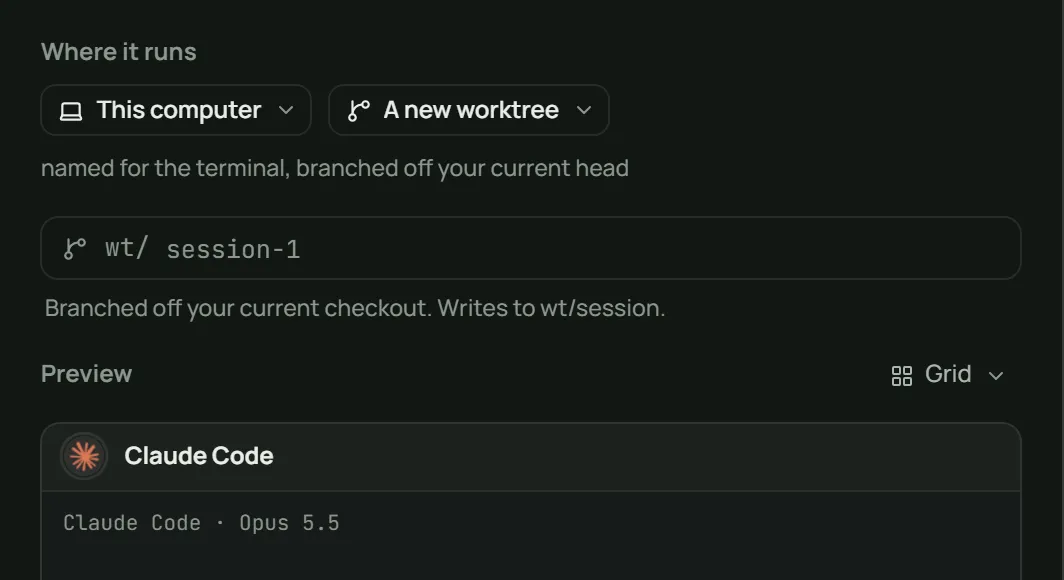
Branches
Each run on its own branch.
Start an agent in its own worktree so it never touches your working copy.
-
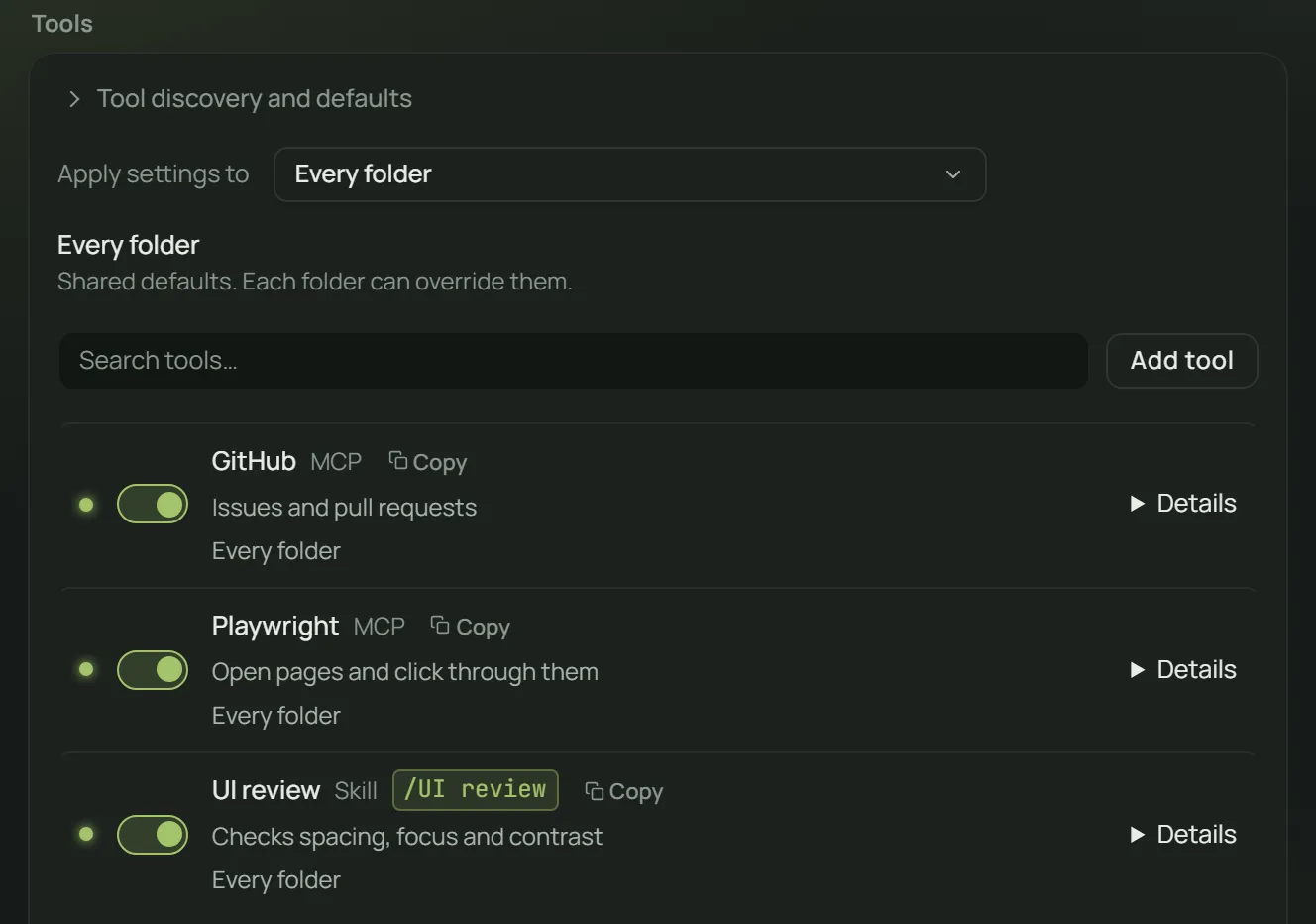
Tools
MCP servers and skills, set up once.
Shared defaults for every folder, or turn a tool on for just one.
-
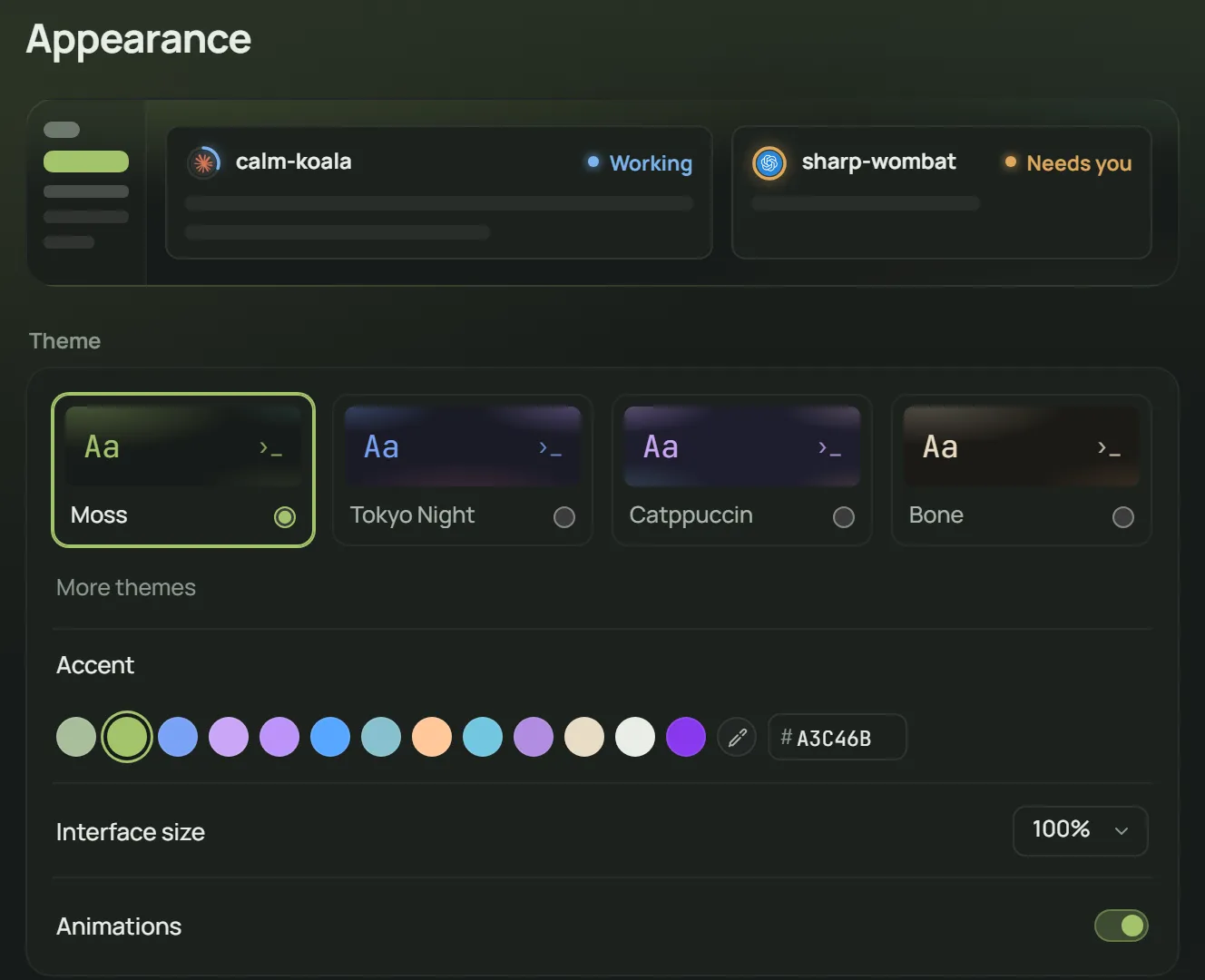
Themes
Make it yours.
Choose a theme, colors and a terminal font. Light and dark.

Pricing
Start free.
Lite Free forever
You drive your agents.
- 7 coding agents built in
- Run agents side by side
- Sessions resume where you left them
- Usage for your accounts, always in view
Pro Free during the beta
Your agents work for you.
- More than one account for Claude Code, Codex CLI and pi
- Auto continue after usage limits
- Tasks that turn a goal into a plan and a report
- Compare two agents on the same task
Does Auton replace Claude Code or Codex?
No. Auton runs the coding agents you already have, with your own accounts and subscriptions.
What do I need to start?
A Windows 11 PC, at least one coding agent installed and signed in (for example Claude Code or Codex CLI), and a Google or GitHub account to sign in to Auton.
Does my code leave my PC?
Auton keeps your code and sessions on your PC. Your agent talks to its AI provider as it normally would. Optional diagnostics stay off unless you turn them on, and never include your code or prompts.
Do I pay for AI twice?
No. Auton includes no AI credits. Your agents use your own subscription or API key.
Is Auton free?
Yes. Lite is free forever and stays at $0 for as long as Auton offers Lite or a plan that replaces it. Pro, the coding assistant, is free during the beta. No card. No automatic charges.
Bring your next project.
Download Auton and sign in when you first open the app.